
NBHS Advisor Guide
Use the links below to quickly find what you need.
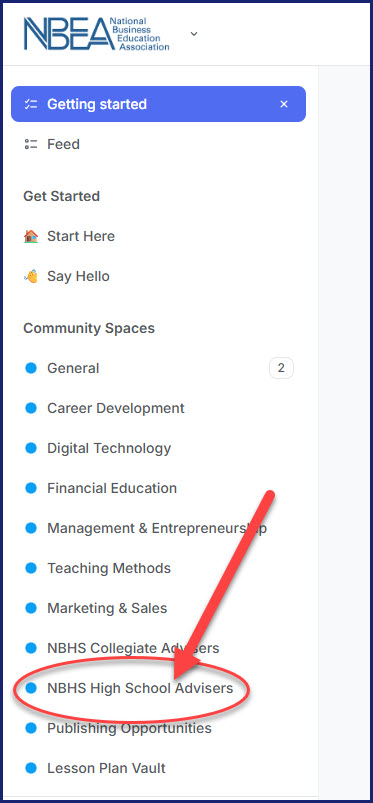
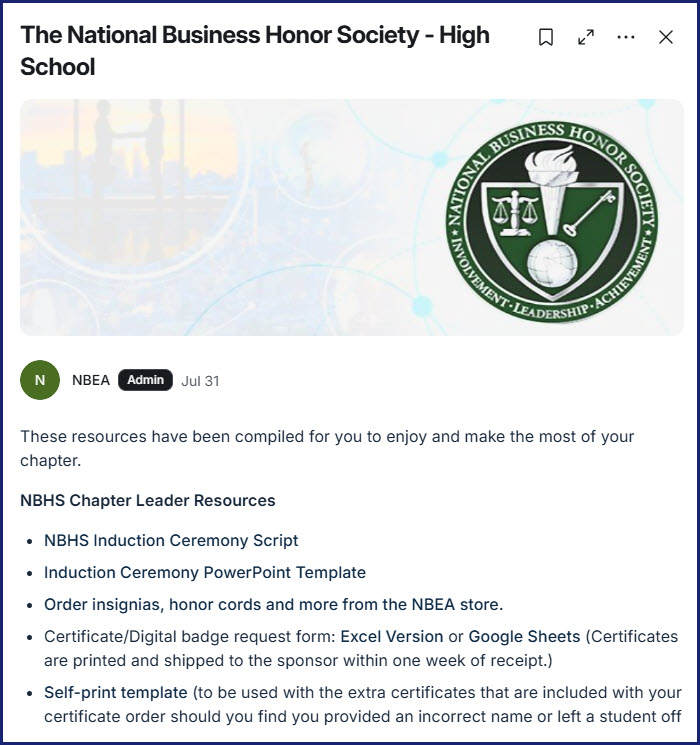
How to Order Insignia
NEW!!! Advisors can now print student certificates! No more waiting for shipping, and corrections can be done with just a few button clicks!
Print Your Student Certificates
You may still submit certificate orders to NBHS@nbea.org using either the Google or Excel template below:
Note! Please submit your form in the spreadsheet, NOT as a PDF.
- Place orders 30 days in advance.
- Open certificates immediately upon arrival to check for errors.
- Additional certificates & reprints will no longer be processed.
- Names are copied directly from your list—please double-check accuracy before submitting.

Chapter Renewal
Renewal invoices will automatically be generated on August 17.
If you have already requested your renewal invoice, you will not receive another invoice on August 17.
Before your invoice is generated, please review your chapter and make sure your advisor and teacher information is correct.
No changes needed? You do not need to do anything. Your renewal invoice will be generated automatically.
Need your renewal invoice before August 17?
Complete the Rapid Renewal Form
Once you request an early renewal invoice, you will not receive another renewal invoice on August 17.
Update Your Chapter
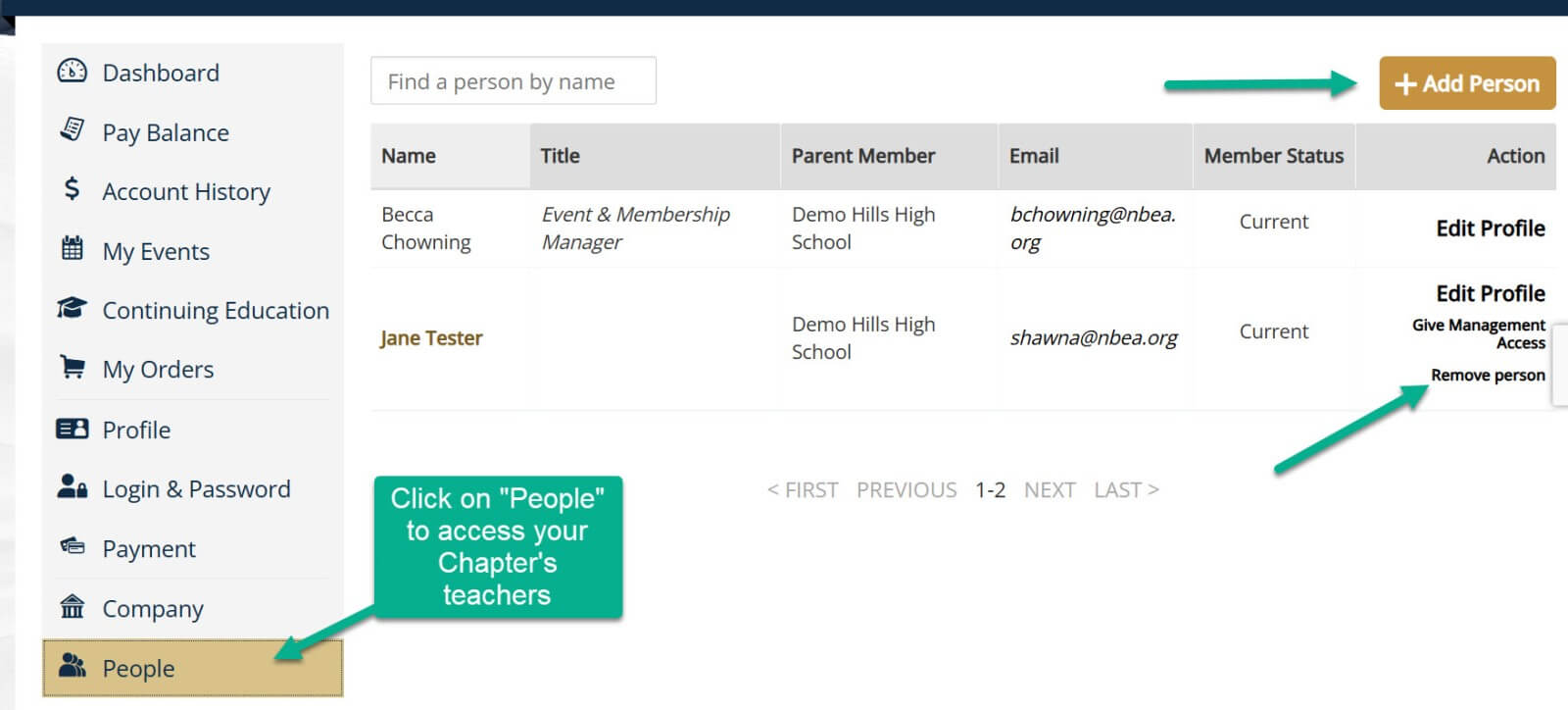
Log in to your NBEA account to see the teachers currently connected to your chapter.
- Click the arrow beside your name.
- Select Member Compass.
- Select People.
Review the list and make sure your chapter information is correct before your renewal invoice is generated.
Are you the new chapter advisor for your school?
Contact NBHS@nbea.org. We will update the chapter advisor for you.
Add/Remove a Teacher
Adding: Does the teacher already have an NBEA account?
YES: Do not create another account for them.
The teacher should:
- Log in to their NBEA account.
- Connect their account to your school.
- Join or renew their NBEA membership.
- Select Bill the School to have the invoice sent to the chapter's billing contact.
NO: The teacher has NEVER had an NBEA account.
You can add them from your advisor account:
Member Compass → People → + Add Person
Only use + Add Person for someone who has never had an NBEA account. Creating another account for an existing member will create a duplicate record.
Need Help?
Questions about your chapter, teachers, or renewal invoice?
Contact NBHS@nbea.org.